


IDT audio device idt high definition audio codec error 0x8007001f occurs when the sound is not working properly after upgrading your windows operating system.
-
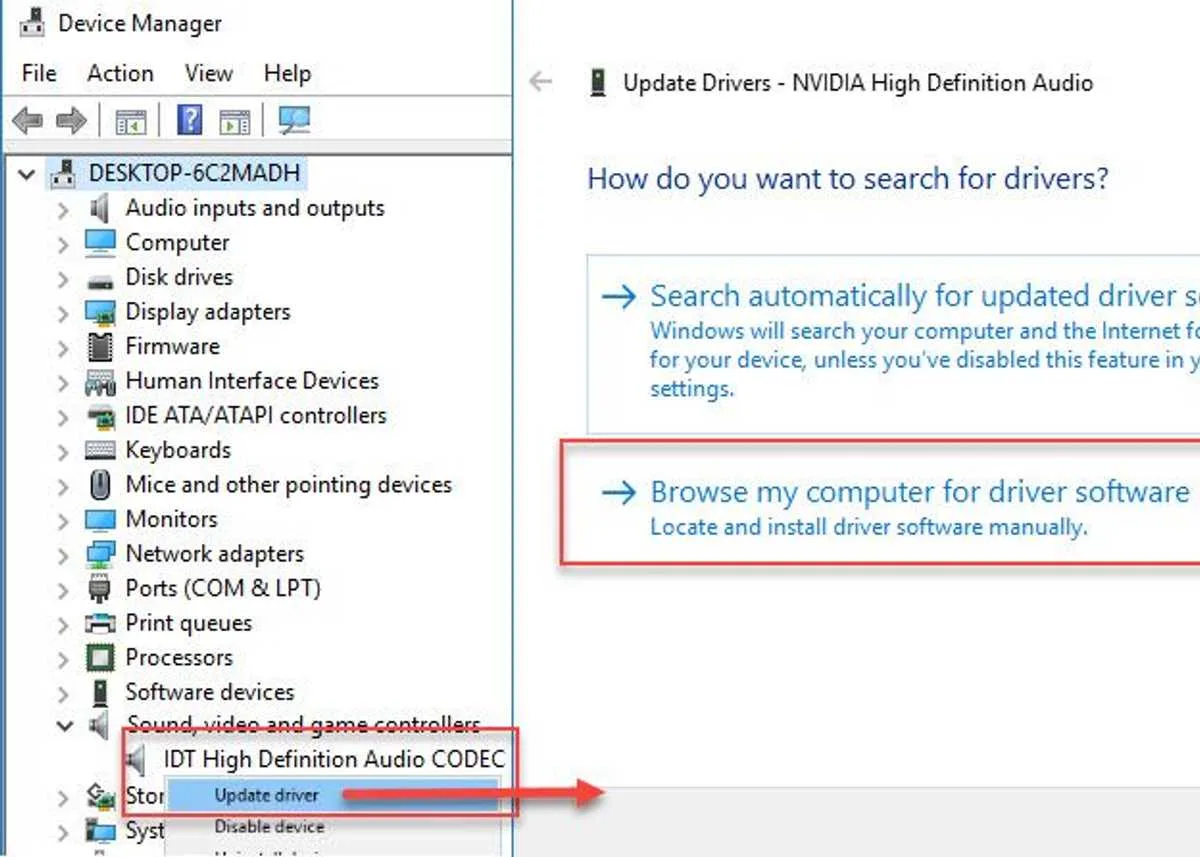
Go to Device Manager, by right-click the Windows Start and select Device manager.
-
Expand Sound, video and game controllers.
- Right-click IDT High Definition Audio CODEC device and select Update Driver Software.
- Select Browse my computer for driver software.
- Then Select Let me pick from a list of device drivers on my computer.
- Select High Definition Audio Device and then click Next.
- Select Yes in the Update Driver Warning.
- Lastly, restart your computer.
If the issue persists, you audio service might have stopped. Please see solution 2.
- Click Windows Start, then type in Services and press Enter key.
- In the Services window, look for Windows Audio then right-click it and select properties.
- Set Startup type to Automatic, then press Apply and then Ok.
- Restart your computer to apply the setting.


