


What is iPhone error 29?
iPhone error 29 is an error that usually occurs when trying to update or restore your device. It may also be a hardware issue that would make the phone non-functional.
How can you fix iPhone error 29?
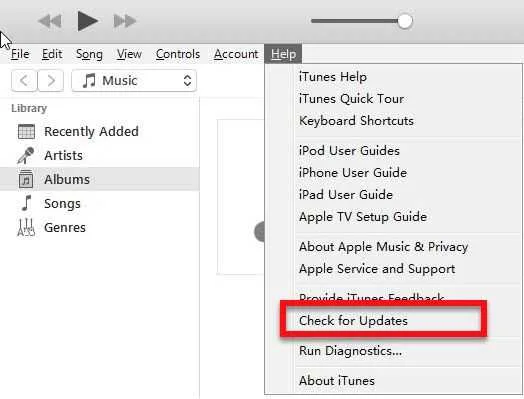
Some of the solutions to this error include using the device’s original battery, disabling third-party software and updating iTunes.
Please see our in-depth walk-through solutions below.
- If the original battery could not turn on your device, please charge it for at least four hours it may have been completely discharged.
- If your original battery is already faulty, please buy or borrow an original battery manufactured by Apple.
NOTE: Please connect the battery connector properly to avoid additional problems.
If you think your operating system infected by malicious software, update, and scan using an anti-virus. After scanning and deleting the malware, configure your operating system to boot without running startup program, please see below.
For Windows
- Click Windows Start, type in msconfig and then press Enter.
- At the General tab, select Selective Startup.
- Uncheck the Load startup items.
- Go to services tab, check Hide all Mircosoft services and then click Disable all.
- Click Apply, then click OK and click Restart.
- Try connect your iPhone and restore/ update.
For Mac
- Restart the computer.
- If you have a login window, hold Shift key before pressing the login button and then release when you’re on the desktop.
- If you do not use login window, hold Shift when progress bar starts and then release when you’re on the desktop.
- Try connect your iPhone and restore/ update.


