


Windows 8 error 651 is an error that occurs when you are trying to connect to the internet.
- Check LAN driver or WiFi driver installed.
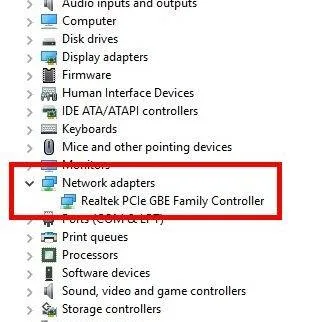
- Right click Windows Start and click Device manager.
- Select Network adapters.
- Check if it has a yellow exclamation point, download and install the driver, and then restart.
- Then check the LAN port LED lights are blinking. If not, please see below.
- Reconnect the RG45 to both sides, computer and router.
Make sure your UTP cable is in good condition.
Check if the Router detected the cable by checking the port LED indicator. - If your using Wifi, look for a place with a good signal.


