


Xbox One Blu ray player HDCP error is an error that may occur when you try to load a Blu ray disc on Xbox One.
- Check your HDMI cable if it is HDCP 2.2.
- Check your TV/Monitor if it is 4k or HDCP 2.2 compatible.
-
Check your TV/Monitor for a firmware update.
-
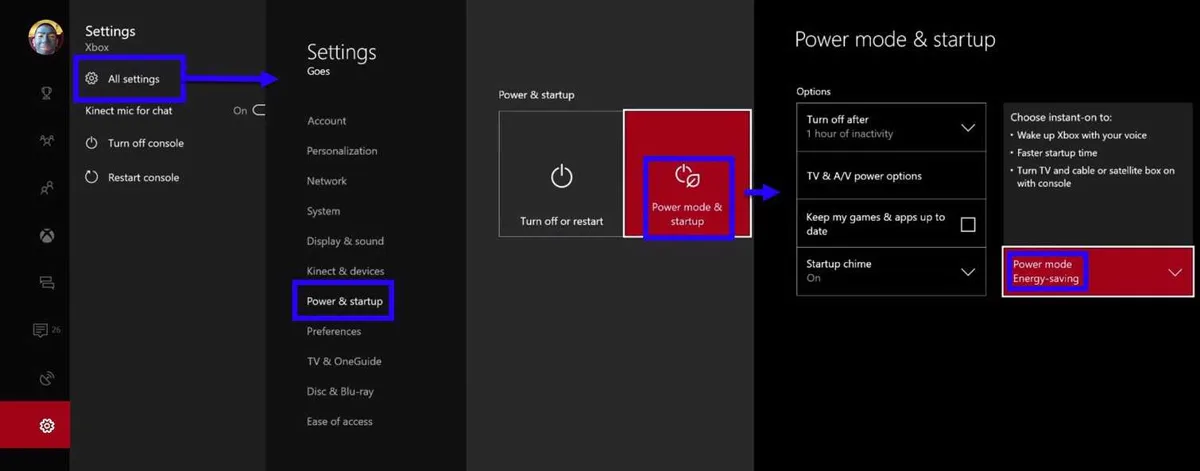
Go to Settings.
- Select Power & Startup.
- Select Power Mode and enable Energy-saving option.
- Then restart your Xbox One and try again.


