


What is PS4 error ce-34861-2?
PS4 error ce-34861-2 is an error that usually occurs when there is an issue with the servers and a problem with the Secure Sockets Layer (SSL) in your internet connection.
How can you fix PS4 error ce-34861-2?
Some of the solutions to this error include checking if the PlayStation Network or the game server is under maintenance, checking your internet connection, and setting your internet protocol (IP) address and domain name system (DNS) to Manual.
Please see our in-depth walk-through solutions below.
The only fix for this problem is to wait until PSN or the game server is up. Please check https://status.playstation.com/ for PSN server and for the game check, their official website or social media account.
NOTE: If the PSN or the game server is up, and you still encounter PS4 error CE-34861-2, please turn off your device then unplug it for at least three minutes to power cycle your PlayStation. Also, check for game updates or PlayStation System Update.
- Using your computer or smartphone, connect to the internet see if the connection is stable.
If the internet connection has a problem, call the ISP since the PS4 and the other gadget is experiencing the same. - If the PS4 has an internet problem, restart the PlayStation 4 and the modem router.
- If the PS4 error CE-34861-2 still appears, see solution 3.
Set Playstation 4 Networking settings to Static
- Go to Settings.
-
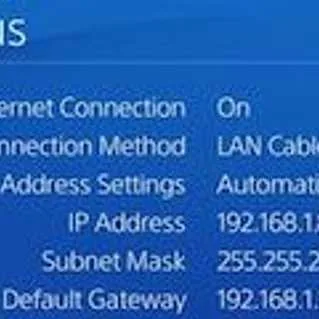
Go to Network and then View connection. Take note of the details in the image below.
-
Go back to Network and then go to Set Up Internet Connection.
- Then select your connection WiFi or LAN.
- Then select Custom.
- Change the IP address to Manual.
Input the details in the View connection. - Then change DNS address using the Google public DNS address below.
Primary DNS: 8.8.8.8
Secondary DNS: 8.8.4.4 - Do not change the MTU setting and Proxy server.
- Then test your connection if the PS4 error CE-34861-2 is fixed.
Set Playstation 4 Networking settings to Static using the router


