


What is PS4 error NW-31194-8?
PS4 error NW-31194-8 is an error that usually occurs when there is a problem with the internet connection on the PS4.
How can you fix PS4 error NW-31194-8?
Some of the solutions to this error include checking the PlayStation Network (PSN) for maintenance, checking your internet connection, and setting the network configuration to static.
Please see our in-depth walk-through solutions below.
In addition, to confirm PSN server maintenance, check their official social media page and forums. If confirmed, the fix is to wait. If a report that says the server is up, please check for any PlayStation 4 System Update.
If the error persists after confirming that the server is up, your internet connection may be the cause.
- Restart your PS4 and modem router by unplugging both devices from the outlet for at least three minutes to refresh the connection.
- See if your connection is stable by browsing using your mobile phone. If the connection is slow your ISP could be the cause, try to call them for assistance.
- If your mobile phone does not experience slow internet connection, your PS4 could be experiencing networking problems such as a weak WiFi signal or a faulty LAN cable.
- If your using a dynamic network setting for your home network it is possible “PS4 error NW-31194-8” is appearing. Set your network to static see solution 3 for the instruction.
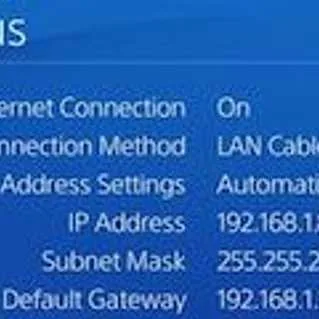
To set your Internet protocol (IP) address, go to “View connection” take a picture of it or copy it to a paper.
For the domain name system (DNS) server, call your ISP and ask for a DNS server. You may also use Google public DNS, which is 8.8.8.8 and 8.8.4.4.
Set Maximum Transmission Unit (MTU) to any of this range 1473 to 1500. This sets how large a packet you could send to your router.
- Go to Set Up Internet Connection.
- Select form WiFi or LAN Cable, whichever you are using.
- Select Custom.
- Set the View Connection Status details.
- Set the DNS using the details below.
Primary DNS: 8.8.8.8
Secondary DNS: 8.8.4.4 - Set Maximum Transmission Unit (MTU) to any of this range from 1473 to 1500.
- Proxy server select Do not use.
- See if “PS4 error NW-31194-8” disappeared.
To set the IP address to static and set a domain name system (DNS) using the router see this YouTube video here.


